Friends and phones
No service
We're three friends who bought into the whole "enough" thing, when it comes to phones, at least. We each go about it in our own ways. After hanging out at the lake and talking about it, we decided to write this.
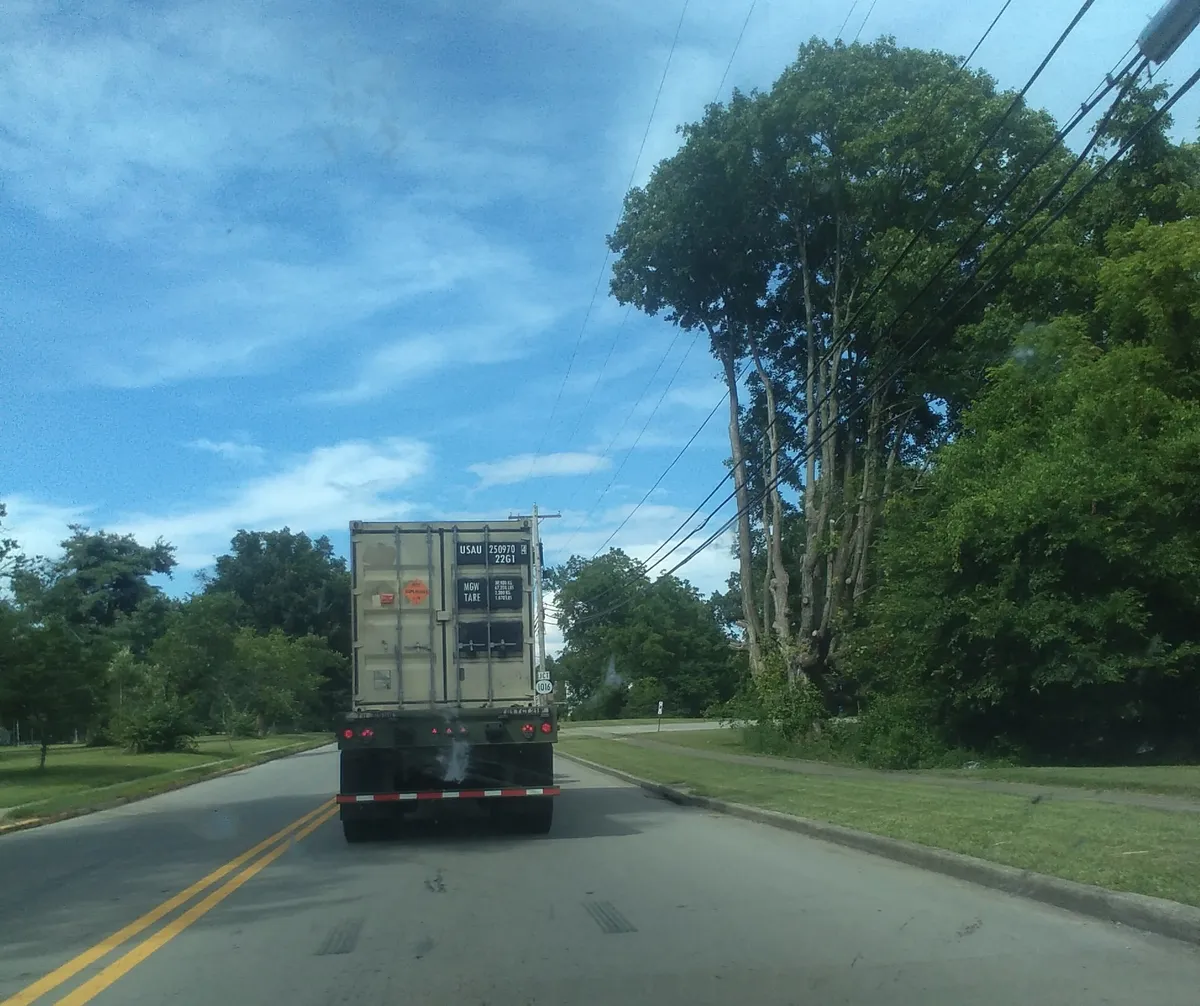
Offline travel by Tucker
I went to see friends at the lake last weekend. We thought it would be fun to do the trip "offline."
My friend James picked me up. He uses a dumb phone you can take the battery out of. I didn't bring mine. I wrote down important numbers. James is memorizing his!
Our trip was supposed to take seven hours, across the state line. We'd drive two-lane state highways and county roads. We looked at the map and changed our directions to do less road-switching (Google sometimes makes the route complicated to save a few minutes).
James had a road atlas his dad loaned us in case we got lost. In our directions, we put what town was near each turn. We also wrote distances. In older cars, like James's dad's 2006 Toyota we borrowed, a stem sticks out next to the odometer. Push it in to switch between odometer and "Trip A/Trip B" mileages. Long-press it to reset trip mileage to zero when you turn.
It was cool to drive a car with no cellular modem, GPS, or telemetry. We wanted to leave no traces in databases as much as possible on this trip, to enjoy the feeling of freedom you only get when nobody's watching. Everyone in our generation, it seems, is anxious. Our goal was to find out if traveling like it was 1999 feels different. Other than a few times we almost got lost, it was awesome.
When we left his dad's house, James turned his phone off and took out the battery so it wouldn't run down, but he brought it in case of an emergency. While we drove, we mostly didn't use the map. We watched exit numbers. In some states, like Kentucky, they're the same as the mile markers (exit 8 is after exit 2). In other states they're in order (exit 3 will always be after exit 2).
We relaxed and noticed our surroundings. I usually zone out when I drive. Glancing at the mileage since the last turn and asking James over and over what mileage to expect the next turn at kept me alert. Once, on the way home, we were talking and drove past our exit. We found our way back. When I got nervous because I thought I made a wrong turn, James looked at the map and reassured me.
Two more things. First, we mostly didn't listen to music. When we did we listened to the radio. It gave us a sense of place, I guess. Second, when we stopped for gas, we paid in cash at a gas station in the middle of nowhere.
I know we weren't invisible. For one thing, we saw some flock automatic license plate readers (we hate them! deflock.me has a map of where lots of them are, so you can get used to what they look like).
It was a good trip. My anxiety had trouble finding us. The whole weekend, I didn't look at my phone because I didn't have it. I sat in a hammock by the lake, played cards, partied at the bonfire, read a little, peaceful stuff.
When I got my phone back at James's house, I found out my girlfriend thought I died. Next time I'll tell her a call-out time the night of whatever day I'll be back so I don't have to rush and she doesn't have to worry. Or maybe she'll be able to come with us!
No smart phone by James
I got rid of my smartphone a couple years ago. I was honestly tired of being addicted to it. I had facebook I didn't use except for messenger, and I had instagram, tinder, and reddit. People weren't using signal or discord yet. I wasted time on stupid games instead of playing good ones.
It was too easy to look anything up. I felt like I wasn't using my brain. I couldn't tolerate boredom.
Where do you start, when it comes to switching to a flip phone? For me, honestly, it was a broken phone I needed to replace and a subreddit moderated by a guy called Jorge Briones, r/dumbphones. He has a list of tiny smartphones (less distracting) and actual dumbphones (usually KaiOS instead of android or apple). I didn't want to spend a lot because I'm poor, so got an Alcatel flip phone for like $100. My phone bill's $20 a month in 2026, same as when I switched.
The phone's garbage. It'll probably break in 3 years like a smartphone. Multi-tap texting is annoying. It feels like they didn't test it with real people. But I can text and talk, and it takes pictures that aren't stabilized or enhanced by AI. There's no GPS, accelerometer, cut-and-paste, or app store. No maps, no Signal messenger, no ChatGPT, no Spotify. I can painfully connect to wifi and transfer a picture by uploading it to a temporary web service like share.riseup.net, but not much else online.
Honestly I don't think there's anything you can buy that'll give you peace of mind, but you can abstain from things that rob you of it. My phone's a great excuse to say no.
Work wants us to install a new scheduling app every couple years. I don't get harassed by notifications and wonder if it's spyware. I get my schedule on paper and call to make changes. Seriously. I blame my "old" phone, and they accommodate me.
I can't doomscroll on my phone. I have to get on wifi with my old tablet. I write directions, use my dad's road atlas, and learn my way around.
It's mostly good, but groupchats are a problem. I miss friends who want me to use an app to talk to them. I just started mailing letters. Sometimes when there's something important, a friend tells me what I'm missing. It seems like most of what I miss is no loss. When people chat using everyone's phone numbers, I get the chat as messages from different senders, chaotically out of order. I can delete most of it without reading.
People know I have a dumbphone. My boss, my friends, my family. Nobody expects me to reply to anything right away. I leave my phone at home when I go camping. I turn it off on long trips. I'm not hard to reach, but I leave less of a trace in databases than most people. I have less to worry about stuff hurting me in a future job, relationship, or in court, less I may have to explain, less "I know they'd never target me, but..." anxieties about ICE or whatever, less temptation to gamble or look at porn, more life I just live, less feelings of impending doom than most of my friends.
Some friends joined me on my dumbphone journey. My friend Kayedon said it helped him "simplify and have better boundaries." One friend got a lightphone, but had to get a smartphone to clock in and out at Walmart (they weren't as cool as my job). My wife missed having a good camera and didn't like being left out of the chat. I'm perfectly happy, though. It's possible to opt out of a lot and actually be more fulfilled.
Offline-first android by Iris
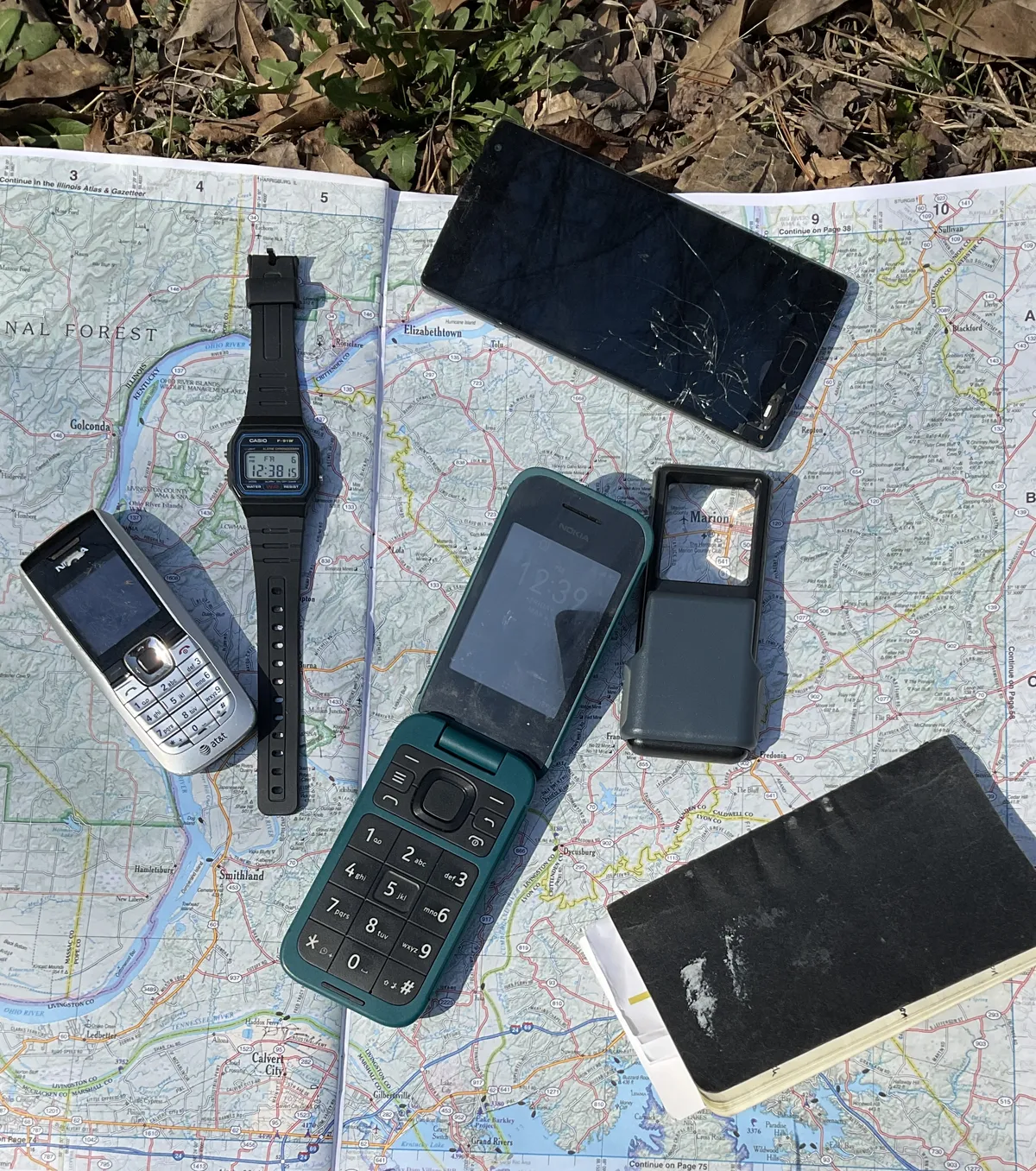
Last weekend, James and Tucker asked me to write how I use ancient android phones people don't want anymore. I love reusing consumer technology to save my friends money, extend its life, prevent waste, and have more autonomy. It's honestly part of how I do enough. If you want one let me know.
My regular phone's a candybar-style dumbphone, $50 Nokia 225 4G I mail ordered from Nokia. It does all I need on a $3/month plan from a MVNO.
I use old androids with no cell service or google account on wifi with offline-first applications. The oldest one's a 2017 Samsung, the newest one's a 2023 budget Alcatel. They're interchangeable, except the older ones need a different charger. Ask old people. They have one in a drawer.
Device setup
When somebody gives me a factory-reset old phone, this is what I do first. The first time I power it on, I spend over an hour disabling stuff before I let it connect to wifi. I disable every possible app permission, delete or disable most apps, turn off all notifications, turn off GPS and bluetooth, turn off all possible device and browser telemetry.
I use the default browser to download the F-Droid apk and install it. Then I disable the default web browser. F-Droid installs and updates packages. By this point I've already disabled Google Play.
First I install TrackerControl. It's a firewall to block trackers or application network access. I spend another chunk of time blocking almost everything with it.
I install most of these:
- AntennaPod (podcasts)
- AnySoftKeyboard (ctrl, esc, and arrow keys)
- ConnectBot (ssh)
- DuckDuckGo Privacy Browser (www, new android only)
- Feeder (rss reader; new android only)
- Kiwix (offline wikis)
- Markor (markdown notes)
- MuPDF viewer (pdf and epub reader)
- Organic Maps (offline maps)
- Simple File Manager Pro (file browser)
- Syncthing (sync between devices)
- VLC (offline music and audiobooks; internet radio)
For www on older androids, I use Tor Browser from Guardian Project repos, IceCat, or Midori. There are also ok rss readers for older androids.
Use away from wifi
Weekly:
- I read downloaded books via muPDF,
- listen on commute to torrented language lessons, audiobooks, and music via VLC.
Occasionally:
- I listen to downloaded podcasts on AntennaPod,
- read locally-synced news and blogs with Feeder,
- check WikiEM emergency medicine handbook or Wiki- Med medical encyclopedia with Kiwix,
Rarely:
- browse local documents with Simple File Manager,
- look up map or directions with Organic Maps,
- take a note with Markor.
Even online, Feeder is nicer for reading than a web browser. XML imposes "readability mode," just text and some pictures. I update and sync AntennaPod and Feeder on wifi before trips. I usually get my e-books from Anna's Archive, sometimes from Standard Ebooks. Stuff I listen to's mostly torrented, or sometimes I download it from youtube with yt-dl or an invidious proxy.
Messaging/calls (on wifi)
I text and make calls with my dumbphone. I don't want email on my handheld. I don't use Signal or social media. I want to minimize personal info and maximize device transferability (Broke your phone? Here, have mine!) so don't have much use for messaging apps. A few are useful enough to sometimes install:
- Linphone (sip/voip; CallCentric charges $1/mo for calls and $1/mo to text).
- Cheogram (with JMP.chat's $5/mo service for calls and text thanks to the magic of XMPP).
For $12(CallCentric)-$60(JMP)/yr these make an old android a sort of anonymized home phone. Away from wifi, messages queue and wait, calls go to voicemail.
I haven't videocalled with my sister on an offline android yet which is sad because it's the only way she'll talk to me. I think it would be easy if I could get her to install conversations, snikket, cheogram, or some other XMPP messaging app, but I think she'd rather die.
If you want email on an offline-first android, K9 Mail's good. Manyverse is an app for the scuttlebutt offline-first social network. Briar's an offline-first messenger for friends at an event. They use wifi and bluetooth instead of cell service. My friends don't use them which is fine with me. I'm just sharing what I learned, because James wanted me to.
If you want to use an android on cell towers semi-anonymously, one of my friends got a plan from a company called Phreeli for $35/mo that only associates your phone with your zipcode. The guy who started Phreeli is a legend, but having a smartphone always online costs more than I want to spend and violates my feeling of enough.
Not a general-purpose computer
I don't do everything on my phone. I have a cheap old netbook mini-laptop from 2010.
Using old stuff means learning to be a low-key mechanic. Sometimes you mess up and break whatever e-waste you were trying to fix. On the computer, I learned to install and use a lightweight 32-bit Linux or BSD (in 2010, laptops were 64-bit but netbooks were 32-bit). I learned how to use ssh and join a public access unix server. I computer like it's the '90s: browse the web with lynx or dillo, send email with mutt or claws, write with nano or vi, publish a webpage, and post on a bulletin board. Google and Microsoft don't own me.
It might seem too "techy" and honestly I get it. I've just slowly felt my way toward enough, and this is where I ended up, with a little help from my friends. I feel right somewhere between James's minimalism and Tucker's way. In the real world, when I went to the lake, I had something better to listen to than the radio, and my maps were more detailed than theirs.
Instead of other things people use phones for, I use a cheap Casio wristwatch, a clock radio, an annoying old digital camera, a d.Light solar lantern, a deck of cards, a library book, a diary, and a cheap refillable LAMY ABC fountain pen I bought off jetpens. James is right, you can't buy autonomy. This is just what fell into my lap.
Sometimes I watch movies on my roommate's laptop. We listen to our little record collection. I subscribe to the Earth First! Journal. Instead of being addicted to my phone like my mom is, I cook dinner, walk to the creek, read, or weed my raggly garden.
Using secondhand androids keeps them out of trash, keeps my personal data out of databases I don't want them in, untethers me, shows me how the world works, and is free. Ask around if you want to try. Your dad probably has an old phone he doesn't use because it "got too slow." Mine did.
GrapheneOS by Schroeder
I didn't go to the lake with Iris and friends last weekend, but she asked me to write about my experience with Graphene OS.
iOS & Android-based smart phones are progressively less "owned" by us users. There are new features to keep us placated and impressed - more camera lenses, new improved ways to socialize and share, ways to backup settings and content to The Cloud™ and ubiquitous AI-ification. With Apple's threat of on-device scanning via "Enhanced Visual Search" and Google's barely-announced "SafetyCore", the devices are less-ours than ever.
Apps I need for work and the personal apps I use are on the Play store or alternates, which adds to Graphene OS's appeal. Pixel phones are decent hardware - I'm too hard on mobile phones for a modern flip-style smart phone (I had a Samsung Flip 3 that lasted all of 3 months, sadly). Pixels are the phones of choice for Graphene OS due to hardware perks and security.
I acquired a very lightly used Pixel from eBay. Try it: find a device. There are more clandestine and/or local ways involving cash or cryptocurrency, but for the price and timing, this worked well. The phone is 'iphone 16-esque:' a light-weight, dark-tinted aluminum and gorilla glass monolith. I believe a barrier to entry to most people trying out a more secure phone is aesthetics: they get the sleeker device that bleeds information instead of something more secure with no rounded edges or more buttons than they're used to. The Pixel's a mainstream device, with many case, screen protector and accessory options.
Installing Graphene OS was incredibly straightforward. The web-installer works over USB via Firefox. I did not try the command line method but it doesn't seem daunting if the web- based installer isn't an option. (command line requires installing the android tools package and additional libraries, along with openssh, based on my reading.) Unlocking the bootloader, downloading, flashing/installing and rebooting was maybe 45 min from plugging the phone in to booting into Graphene.
Graphene OS looks similar to stock Android without Google-fication and carrier bloatware. Personalization options are mostly there, save anything that would compromise security. The Graphene App Store app has all the pre- installed applications for reinstall.
Application options are plentiful and (for the most part) easy to manage. The Graphene OS-specific Google Play Store and accompanying Google Play services are what most Graphene users are after. They allow apps from the Google store while keeping security settings manageable. The Play Store runs as "Sandboxed Google Play" with separate settings for security, location, and Android Auto settings and requirements. The Sandboxed Play Store routes location requests to the OS instead of phoning home as with a normal phone OS install.
The Accrescent App Store installs privacy-focused applications. The Aurora store gets Google Play apps without needing to sign in or even have a google account. The Play store notices if an application wasn't originally installed by Play if you search it in the Play Store, and tries to update the application. Aurora is a huge resource for those that don't want to take part in Google's account process.
For non-app store applications and projects that just have an .apk out there (or if you want extra scrutiny of where apps are installed from), Obtainium pulls from F-Droid, Github, RSS feeds, and local directories to install less-common applications. It was a lifesaver getting a couple applications installed.
Apps work without issue, aside from apps that require Graphene OS Exploit Protection compatibility mode. Thus far, this has only been banking apps, as described on the Graphene OS site, along, oddly enough, with the TouchTunes jukebox application. It was honestly as difficult to get working as the financial apps that do all the integrity checks.
The lone app I could not get to function was the Chamberlain garage door sensor application for my aging garage door. I tried numerous older versions and with & without exploit protection mode but still no luck in getting it to run without errors. Reading forum posts leads me to believe this is par for the course with this app.
Day to day use has worked very well. Changing over mobile service was seamless, which I was honestly worried about - I had visions of my carrier flagging this new phone as some anomaly and having a human intervene and tell me my account was banned or something for daring to use an alternate phone OS.
Setting up email, calendar, SSH, work apps and crucial apps was no different than other Android- based devices. The phone and SMS experience has been reliable and without issue. After reading about how to get RCS messages set up, I set up Google Messages and limited permissions with the option to use it without an account. The stock SMS messaging app worked, but I wanted to take advantage of RCS.
My nephew was kind enough to stress-test SNES9X with various games with no complaints. Sound for Peertube clips and music has been good - though, I don't use my phone for music (shameless plug for Tangara player). Maps on the Graphene OS version of Android Auto has worked fine and with the appropriate permission tweaks, the voice to text SMS messaging in my car is also functional. Read more in Solene's writeup.
I'm happy with the switch to Graphene and plan on keeping this phone around for the planned 7-year hardware support cycle (provided it doesn't get destroyed through daily life) and stick w/Graphene on the next iteration of devices they support. Getting out of the Apple, Google and carrier-controlled phone business isn't as daunting as it once was. Good luck!!
The joy of no service
A long time ago, Edward Snowden wrote,
A child born today will grow up with no conception of privacy at all. They'll never know what it means to have a private moment to themselves, an unrecorded, unanlalyzed thought. And that's a problem because privacy matters, privacy is what allows us to determine who we are and who we want to be.
No way, forget that. We say, "enough."
This story is released into the public domain. It is only as true as you make it.